
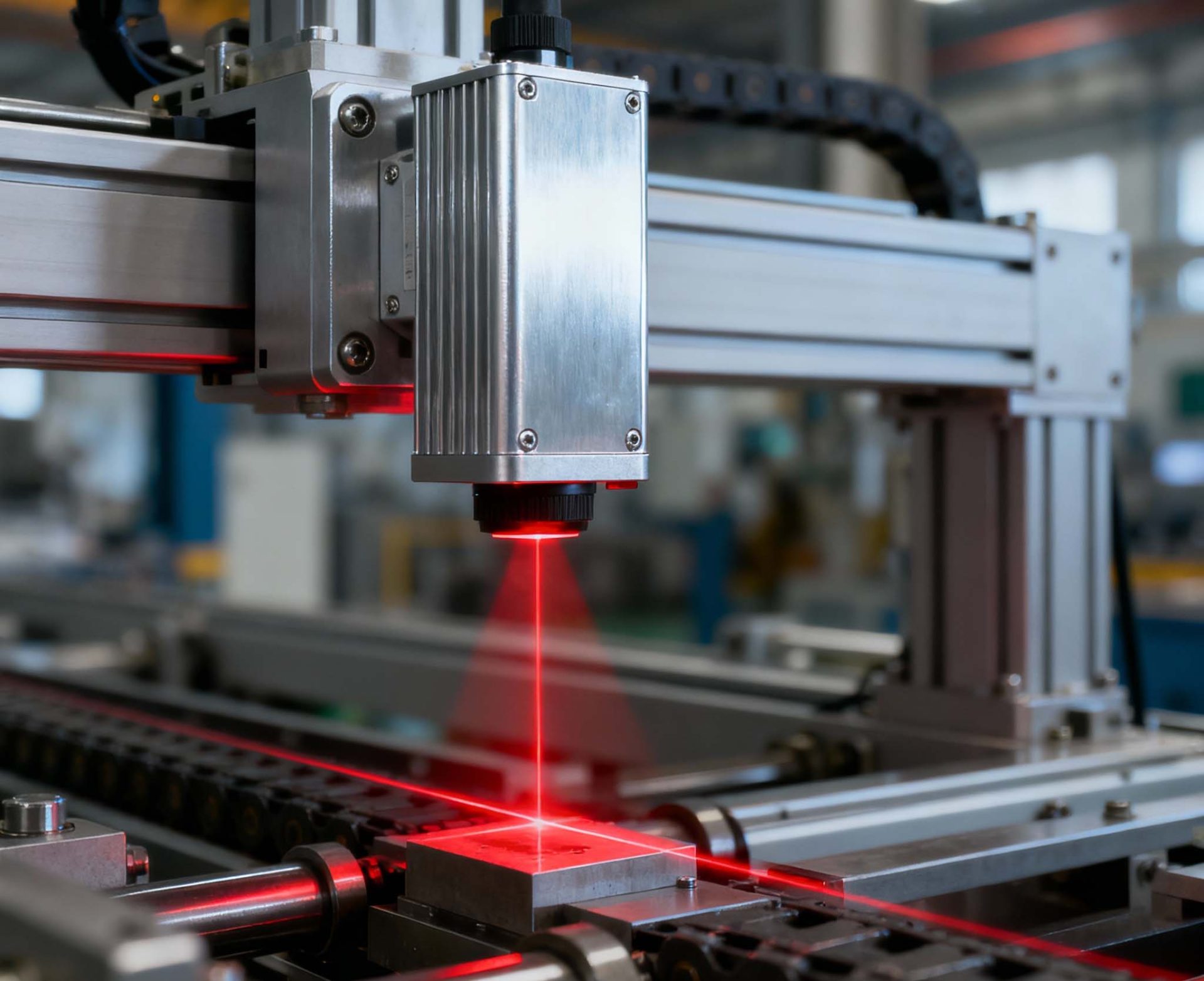
If your production line lives and dies by visual consistency—printed labels, painted parts, blister packs, polymer pellets—then an industrial color sensor is one of the highest-ROI instruments you can install. These compact devices detect and evaluate the color of a moving target in milliseconds, turning subtle shade differences into reliable pass/fail signals or numeric color values that PLCs and quality systems can use. In this guide, we’ll demystify how industrial color sensors work, where they shine (and where they don’t), what specifications actually matter, and how to deploy them for day-one success.
Whether you’re an automation engineer, a quality manager, or an ops leader evaluating capital spend, this article goes deep—but stays practical. By the end, you’ll be ready to compare models, ask vendors the right questions, and integrate a color sensor without slowing your line.
What Is an Industrial Color Sensor?
An industrial color sensor is a photoelectric device that measures the color of a surface or object in real time. It illuminates the target—often with RGB LEDs or white light—and reads the reflected spectrum through one or more photodiodes. The sensor then converts this signal into color values (e.g., L*a*b*, XYZ, RGB, or a vendor’s “teach” profile) and outputs:
-
A binary result (match/no match) via digital output for sorting and interlocks.
-
A numeric representation via analog (0–10 V, 4–20 mA) or serial/fieldbus (e.g., IO-Link, RS-485 Modbus, EtherNet/IP, PROFINET) for process control and SPC.
Crucially, an industrial color sensor is not a general camera. It’s a targeted tool optimized for speed, robustness, and color stability under industrial conditions.
Where Color Sensors Deliver ROI
Color-critical defects can escape human inspection, especially at speed or under harsh lighting. Common payoffs include:
-
Label and packaging verification: Confirm the correct label variant (cherry vs. strawberry), check brand red vs. generic red, detect low-ink events before an entire batch is wasted.
-
Paint and coating lines: Verify correct paint code before curing, measure shade consistency on metal or plastic, detect overspray or contamination.
-
Plastic and polymer manufacturing: Grade pellet color lots, ensure masterbatch dosing is on target, track yellowing/oxidation.
-
Textiles and nonwovens: Maintain dye bath consistency, differentiate near-neighbor shades that operators find hard to distinguish reliably.
-
Food and beverage: Identify cap colors, foil seals, roastedness levels, and color codes used for quick picking on high-speed conveyors.
-
Electronics and components: Verify resistor band colors, connector housings, wire jacket colors, LED binning checks.
-
Pharma and medical: Confirm blister lidding color, syringe cap variants, and color-coded devices to avoid mix-ups.
In each case, the sensor converts a subjective visual check into a repeatable, documented metric—closing the loop between quality plan and real-world throughput.
How Industrial Color Sensors Work (Without the Jargon)
-
Illumination
The sensor emits light—often red, green, blue channels individually or a controlled white LED spectrum. Some designs pulse these channels rapidly so every reading includes full spectral information. -
Detection
Photodiodes capture reflected light. The sensor corrects for ambient conditions (strobing, exposure timing, or optical filters) to isolate its own illumination. -
Color Computation
The device translates the signal into a color model. The most robust industrial choice is often CIELAB (L*a*b*), which aligns with human perception and separates lightness (L*) from chromatic axes (a* red/green, b* yellow/blue). -
Decision Logic
The sensor compares the current reading to taught references (golden samples) or a programmed tolerance window (e.g., ΔE ≤ 1.5). It then fires a discrete output or streams values to a controller for nuanced decisions. -
Compensation & Stability
Good sensors compensate for LED aging, angle variations, and reasonable stand-off changes. Premium models log temperature and perform auto-gain to maintain stable results shift-to-shift.
Key Specifications That Actually Matter
1) Color Accuracy & Repeatability
-
Metric to watch: ΔE in CIELAB. Lower is better.
-
Why it matters: Determines whether the sensor can separate near-neighbor shades or detect minor drift.
-
Tip: Ask vendors for repeatability (short-term) and long-term stability (over temperature and hours of operation), not just headline accuracy.
2) Spot Size & Working Distance
-
Spot/field: From <1 mm for small components to >10 mm for rough surfaces.
-
Distance: Shorter distances improve signal but may clash with line mechanics.
-
Tip: Ensure the spot fully covers the color region of interest and avoids nearby mixed colors, seams, or highlights.
3) Illumination Geometry & Angle Sensitivity
-
0°/45° optics reduce specular reflection on glossy surfaces. Coaxial setups can be best for high-gloss.
-
Tip: If you see glare or hot spots, ask for a different optical head or diffuser.
4) Speed & Sampling
-
kHz-rate sampling is common; what matters is the decision latency and debounce settings.
-
Tip: For high-speed conveyors, match the sensor’s response time to conveyor speed and target length to avoid undersampling.
5) Outputs & Connectivity
-
Digital (PNP/NPN), analog, and IO-Link are the most versatile.
-
Tip: IO-Link gives you parameter control, extended diagnostics, and raw color values without changing wiring complexity.
6) Environmental Robustness
-
IP rating, vibration, EMC, temperature.
-
Tip: Check operating temp ranges if the sensor lives near ovens, curing tunnels, or chillers.
7) Teach & UI
-
On-device teach via buttons is quick; PC/PLC-based teach is repeatable and auditable.
-
Tip: Favor sensors that store multiple color references and allow ΔE tolerance per recipe.
Color Models 101 (and When to Use Each)
-
CIELAB (L*a*b*): Perceptually uniform and lighting-agnostic. Best for quality thresholds and cross-shift comparability.
-
RGB: Tied to the sensor’s LED intensities; fast, simple, but less portable across devices or lighting changes.
-
XYZ: Foundation for color science; occasionally exposed for integration with spectrophotometric workflows.
-
HSV/HSL: Intuitive hue/saturation/lightness; can be useful for recipe UIs but not always ideal for precise QC.
Rule of thumb: Use L*a*b* internally and apply ΔE tolerances; convert to RGB/HSV only if your UI or MES expects it.
Top Use Cases and Recommended Setups
1) Label Variant Verification on a High-Speed Line
-
Goal: Ensure the correct flavor/artwork before case packing.
-
Setup: 45° illumination, 5–15 mm spot, 1–3 ms response, IO-Link to PLC.
-
Teach: Two references per SKU (dark and light patch) to avoid false accept from minor artwork shifts.
-
Tolerance: ΔE 1.0–2.0, with per-SKU settings stored in recipe.
2) Paint Color Check on Glossy Plastics
-
Goal: Confirm paint code and detect contaminants or wrong batch.
-
Setup: Coaxial or diffused lighting to tame specular glare; 10–20 mm stand-off.
-
Teach: Golden part after oven; keep a spare golden sample per shift.
-
Tolerance: Tighter ΔE (≤1.0) for brand-critical colors.
3) Masterbatch Dosing on Extruders
-
Goal: Detect under- or over-pigmentation early.
-
Setup: Enclosed head to block ambient, stable distance, analog output to dosing PID.
-
Teach: Reference from approved pellet lot; seasonal check across temperature range.
-
Tolerance: Trend on L* and chroma drift; trigger alarms before hard fail.
4) Electronic Components and Wire Jackets
-
Goal: Confirm color code per order to prevent downstream rework.
-
Setup: Small spot, fast response, mechanical guides for consistent orientation.
-
Teach: Each code as a separate profile; error-proof with part-present sensor.
Installation Best Practices (So It Works Day One)
-
Control the Light First
Ambient light swings cause most “mystery” failures. Use shrouds or short tunnels; choose sensors with ambient suppression or strobing. -
Fix the Distance
Lock the stand-off with a rigid mount. Distance drift changes spot size and intensity—leading to false rejects. -
Choose the Right Region of Interest (ROI)
Inspect a uniform color patch, not graphic edges, seams, or embossed logos. If the artwork moves, add a simple mechanical nest or vision-guided trigger. -
Use a Realistic Golden Sample
Teach with production parts from the actual line. Retain a witness sample and recalibrate on shift changes or maintenance. -
Parameter Discipline
Store all sensor settings in your PLC or IO-Link master. Avoid “mystery tweaks” on the device that nobody documents. -
SPC Integration
Log L*a*b* and ΔE values for traceability. Early trend alerts are worth more than hard rejects after hundreds of units.
Common Pitfalls and How to Avoid Them
-
Gloss and Hot Spots → Use diffused or coaxial optics; shift the angle; widen spot.
-
Mixed Color Backgrounds → Shrink spot or add mechanical masks.
-
Wrong Triggering → Use a separate photoeye or encoder-based window to sample only when the part is centered.
-
LED Aging Over Time → Pick sensors with auto-reference or schedule preventive re-teach.
-
Temperature Drift → Mount away from heat sources; confirm spec across your environment range.
Spectral Sensors vs. Tristimulus Sensors
-
Tristimulus (RGB) sensors: Fast, compact, affordable. Great for go/no-go checks with tight mechanics and stable lighting.
-
Spectral color sensors (multi-channel): Capture finer spectral detail, often better at separating metameric colors and tricky materials (pearlescent, metallic). Slightly larger and pricier, but worth it for premium finishes.
Decision rule: If your line deals with glossy paints, metallic flakes, or ultra-near colors, shortlist spectral models. Otherwise, a high-quality tristimulus device is often enough.
Connectivity & Data: Why IO-Link Is Your Friend
IO-Link brings plug-and-play wiring with deep parameter access. Benefits include:
-
Remote teach and recipe changeovers from the HMI.
-
Health diagnostics (signal strength, temperature, over-exposure warnings).
-
Raw color values for SPC and machine learning without extra analog cards.
-
Easy sensor swaps: the master can push parameters to the replacement unit.
If your plant standardizes on EtherNet/IP or PROFINET, pairing an IO-Link master with your PLC gives the best of both worlds.
Selecting the Right Model: A Step-by-Step Checklist
-
Define the real problem. Is it variant mix-up, shade drift, or surface finish issues?
-
List materials and finishes. Matte paper? Glossy ABS? Aluminum? Textiles?
-
Define the line mechanics. Target speed, available mounting space, expected stand-off, vibration.
-
Specify the ROI. Minimum patch size and tolerance to position shift.
-
Pick the color model & thresholds. Aim for L*a*b* with ΔE.
-
Shortlist by outputs. Need simple PNP/NPN? Or IO-Link/fieldbus data?
-
Verify with samples. Send a spectrum of real-world parts: golden, borderline, and rejects.
-
Run a line trial. Confirm performance at actual speed with actual lighting.
-
Plan for changeovers. Make sure recipes and teach points are swappable by operators without calling engineering.
-
Document the SOP. Lock in mounts, distance, cleaning, re-teach intervals, SPC logging.
Maintenance, Cleaning, and Calibration
-
Lens hygiene: Wipe weekly with lint-free cloth; avoid aggressive solvents on polycarbonate windows.
-
Re-teach cadence: After lens changes, LED module swaps, or notable ambient changes.
-
Self-checks: Use internal signal strength metrics; trigger maintenance if the margin falls below your SOP threshold.
-
Spare strategy: Keep a pre-taught spare with parameter download ready (via IO-Link).
Troubleshooting Quick Reference
-
Intermittent false rejects at shift change → Check ambient light (overhead fixtures on/off); enable strobing; add a light shroud.
-
Good parts accepted on Station A, rejected on Station B → Distance or angle mismatch; normalize mounting jigs; compare spot sizes.
-
Sensor reads “too dark” after weeks → Lens haze or contamination; clean optics; verify signal strength; re-teach if needed.
-
Can’t separate two near reds → Try spectral sensor; reduce glare; evaluate ΔE thresholds per batch.
Example Deployment: Two Short Case Studies
Case 1: Beverage Caps at 600 ppm
A bottling plant runs color-coded caps (grape, cherry, citrus) with shades that look almost identical under warehouse light. The team installed a tristimulus color sensor with 45° illumination and a 10 mm spot, teaching a golden sample per SKU. Recipe selection is automated via barcode scan. Reject rate dropped by 78% within the first week, with no measurable impact on cycle time.
Case 2: Automotive Interior Trim, Glossy Finish
An interior trim supplier kept failing audits due to subtle paint shade drift. A spectral color sensor with coaxial illumination was added right after clear coat. The sensor streams L*a*b* to SPC; alarms trigger at ΔE 0.8 for a quick line check before curing. First-pass yield improved from 92% to 98.5% and customer complaints fell to near zero.
SEO Corner: Keywords and Structure You Can Reuse
Primary keyword: industrial color sensor
Semantic variations: color detection sensor, inline color measurement, Lab color sensor, RGB color sensor, spectral color sensor, color sorting sensor, IO-Link color sensor, color verification sensor
Suggested H2 clusters for landing pages:
-
Industrial Color Sensor for Packaging and Labels
-
Spectral vs. RGB Color Sensors: Which One Fits Your Line?
-
How to Integrate an IO-Link Color Sensor with a PLC
-
Troubleshooting Color Sensor False Rejects
-
Color Tolerances Explained: ΔE for Manufacturing
Internal links can point to related pages like machine vision inspection, photoelectric sensors, label verification systems, and SPC/quality software.
Frequently Asked Questions (FAQ)
Q1: What’s the difference between a color sensor and a vision camera?
A color sensor delivers fast, consistent color judgments (match/no match or L*a*b* values) with minimal setup. A camera provides a full image for complex inspections but requires more engineering and compute. Use a color sensor for speed and robustness when you only need color info.
Q2: How tight can my ΔE tolerance be?
For brand-critical shades or cosmetic parts, ΔE ≤ 1.0 is common. For general variant checks, ΔE 1–2 is typical. Validate with real parts and your end customer’s visual standard.
Q3: Can a color sensor handle glossy or metallic finishes?
Yes, with the right optics. Consider coaxial or diffused illumination and, if needed, a spectral model to separate metameric effects.
Q4: Do I need IO-Link?
Not strictly—but it simplifies recipe changes, diagnostics, and data logging. If you’re standardizing smart sensors plant-wide, IO-Link is a smart default.
Q5: How do I ensure stability over time?
Control light and distance, clean lenses, and store parameters centrally. Schedule re-teach after maintenance or significant environmental shifts.
A Simple Specification Template You Can Copy
-
Material & Finish: e.g., glossy ABS, matte paperboard, aluminum
-
Target Size & ROI: e.g., 8 × 12 mm color patch, centered
-
Distance & Mechanics: e.g., 20 mm stand-off, rigid bracket, anti-vibration pad
-
Lighting & Optics: e.g., 45° illumination with diffuser; glare present Y/N
-
Throughput: e.g., 450 ppm, 1.5 ms required decision time
-
Outputs & Integration: PNP/NPN + IO-Link; recipe via PLC
-
Color Model & Limits: L*a*b*; ΔE ≤ 1.2 per SKU
-
Environment: IP67, 0–60 °C, coolant mist present Y/N
-
Quality & Data: Log L*a*b* per lot; SPC alarms at ΔE 0.8
-
Spares & SOP: Pre-taught spare; weekly clean; monthly verification run
Implementation Roadmap (30–45 Days)
Week 1–2: Requirements, sampling plan, vendor shortlist, benchtop trials.
Week 3: On-line trial at reduced speed; tune optics and ROI; finalize ΔE.
Week 4: PLC/IO-Link integration; recipe control; SPC logging.
Week 5–6: Full-rate run; SOP release; operator training; handoff to production.
Why Color Sensors Fail—and How to “Engineer Out” the Risk
-
Over-reliance on defaults: Don’t use vendor default tolerances; calibrate to your product and VOC standard.
-
Ignoring mechanics: A $500 bracket prevents many $5,000 headaches.
-
No data trail: Always log color values—not just pass/fail—for traceability and continuous improvement.
The Bottom Line
An industrial color sensor is a small device that solves a big problem: converting subjective visual checks into objective, traceable data at line speed. Choose the right optics, stabilize lighting and distance, and integrate with your PLC or IO-Link master for fast recipe changes and credible SPC. If you build your spec around ΔE in L*a*b*, verify with real parts, and document an SOP, you’ll get the win you’re after: fewer mix-ups, higher first-pass yield, happier customers—and a short, defensible payback.
Ready to evaluate a model?
-
Bring real parts (good, borderline, reject).
-
Measure your stand-off and ROI.
-
Decide on outputs (IO-Link helps).
-
Demand a trial at line speed.
Then lock in your SOP, hit “start,” and let color be one less source of stress on your shift.

Leave a Message